

Lanikai Brewing Company Website Redesign
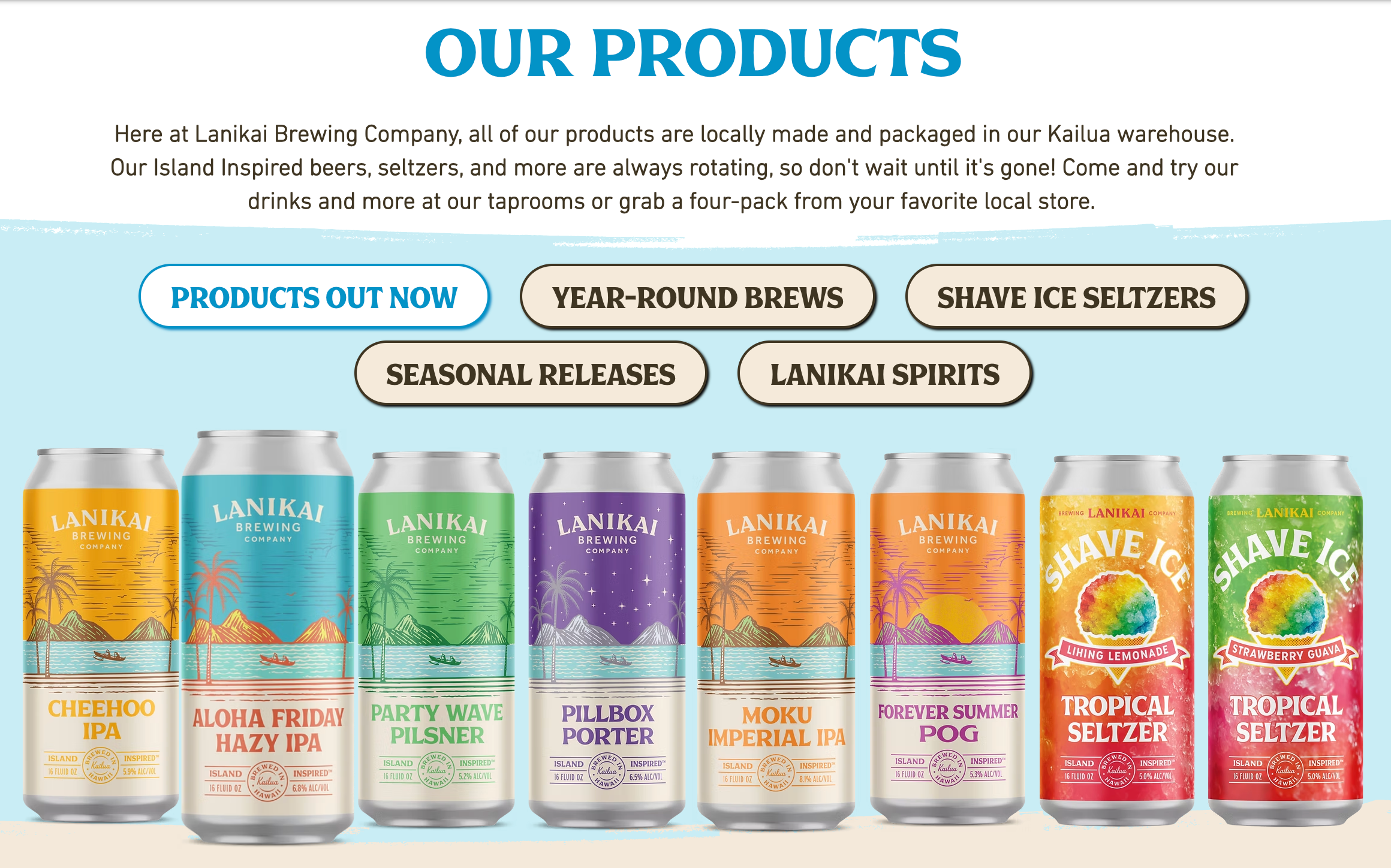
Using built-in Wix templates and combined with design tricks, I redesigned many areas of the Lanikai Brewing Company website to increase traffic by 100%. Some of my favorite page elements include the scrolling section with the different cans and the products page with the interactive informational menu.
My thought process behind the homepage redesign was centered around making the page more visually enticing while still communicating the selling points for the company. I accomplished this through a scrolling carousel with the different cans, as well as a rotating photo gallery at the top of the page, which made the page come together aesthetically. I also made the conscious decision to keep the homepage simple so that users can explore at their own pace, while easily navigating to where they want using the top menu and linked elements.

Think about how drinks are lined up on a grocery store shelf — that's the instinct I leaned into for this redesign. I paired that natural scanning behavior with filterable tabs at the top of the page, so customers can sort by their own preferences without losing that at-a-glance, lineup feel. Each can has its own hover effect and a light box pop-up with product specs, flavor profile, and where to find it in stores. My goal with this page was simple: cut through visual and information overload so customers can actually find what they're looking for. Take a peek for yourself and explore the redesign!
My Portfolio
The Problem
How do you sum up everything you can do, have done, and want to make in one experience? I needed a portfolio that could showcase my many facets, layers, and creativity, while also being technically sound enough to prove I could build it myself.
The Approach
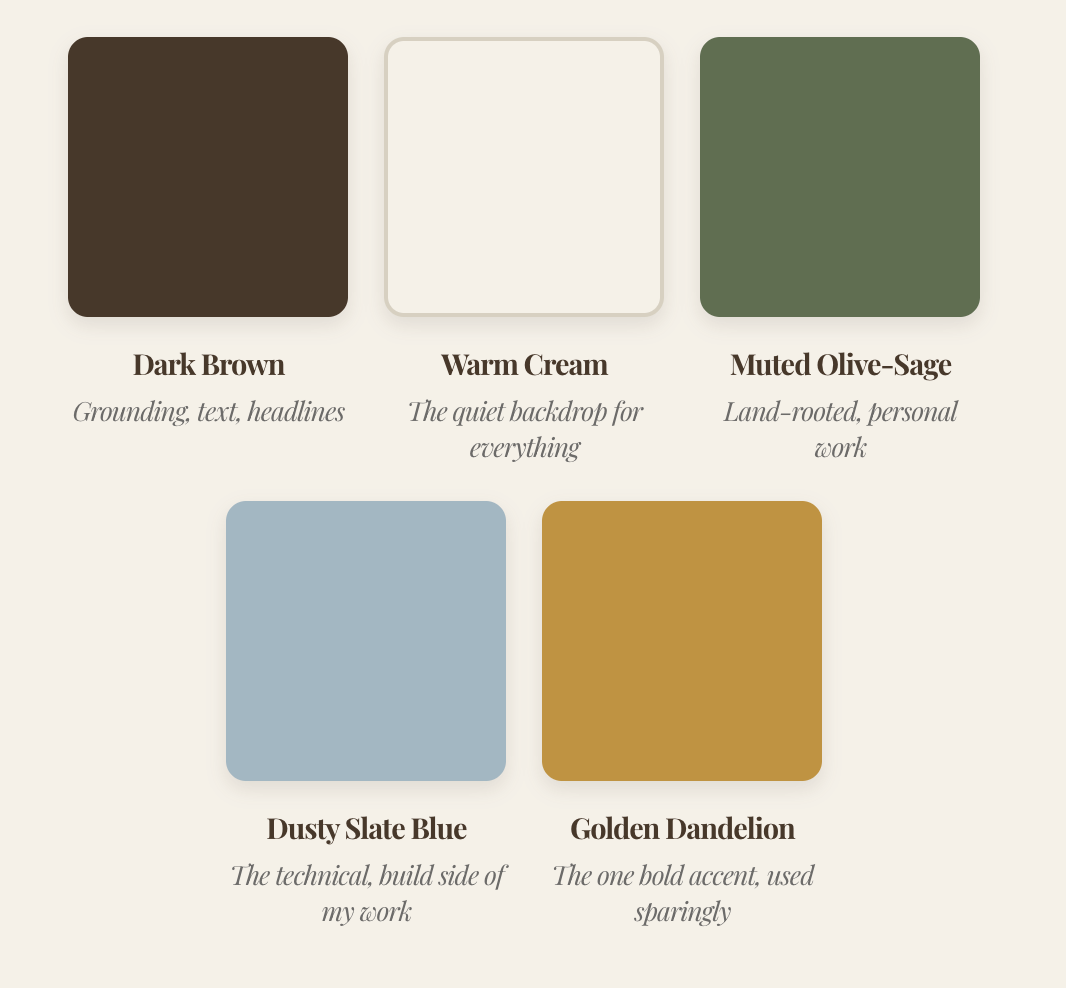
I built this site from the ground up in Squarespace, starting with a five-color brand system rooted in place rather than trend. Where Squarespace's built-in tools ran out, I wrote my own CSS to fill the gaps, building interactive components from scratch to keep the experience feeling custom rather than templated. Every section, from the navigation to the smallest hover effect, was a chance to practice what I'd want to do in any role: take a platform's limitations and design around them, not settle for them. Click your favorite element to see how it works within my website.
The Result
A site that is itself a working example of the CMS and UX skills described throughout this page. You're looking at it right now.



Le Jardin Academy Website Work
In my current role, I have reformatted, designed, and customized key pages for the lejardinacademy.org website. Limitations exist within Finalsite's software, as well as in what access I have as an editor. Thus, I had to get creative with the limited CSS capabilities Finalsite would allow. With that in mind, I used custom code workarounds to hide elements on mobile devices, add colored backgrounds to text boxes, and more.
On the user experience side, I have to think about the flow of desktop versus mobile, how column content affects order, and navigation between tabs. Beyond individual pages, I also audit the site as a whole, catching outdated content, broken links, and inconsistencies in things like header styles, photo sizing, and spacing, then standardizing them so the site reads as one cohesive brand rather than a patchwork of pages built at different times. When something needs more than I can fix on my end, I coordinate directly with Finalsite support.
Beyond the website itself, I write, design, and schedule a multi-page weekly newsletter for the full school community, which maintains an average 85% open rate, and I keep a running content calendar across the newsletter, social, and web publishing to stay consistent. For more on that type of design, check out my Digital Design page. Web work is ever-changing and requires constant updating and attention, which has given me practice and room to grow my web capabilities.